
우당탕탕 개발공부
파이썬 데이터 분석 - 네이버 웹툰 데이터_크롤링 실습 본문
오늘 배운 크롤링 기술을 바탕으로, <월요일>에 연재하는 <네이버 웹툰>을 복습 겸 실습해 보았다!
1. 환경 만들기
from selenium import webdriver
from selenium.webdriver.common.by import By

browser = webdriver.Chrome()
2. 크롤링할 url 가져오기
url ='https://comic.naver.com/webtoon?tab=mon'
browser.get(url)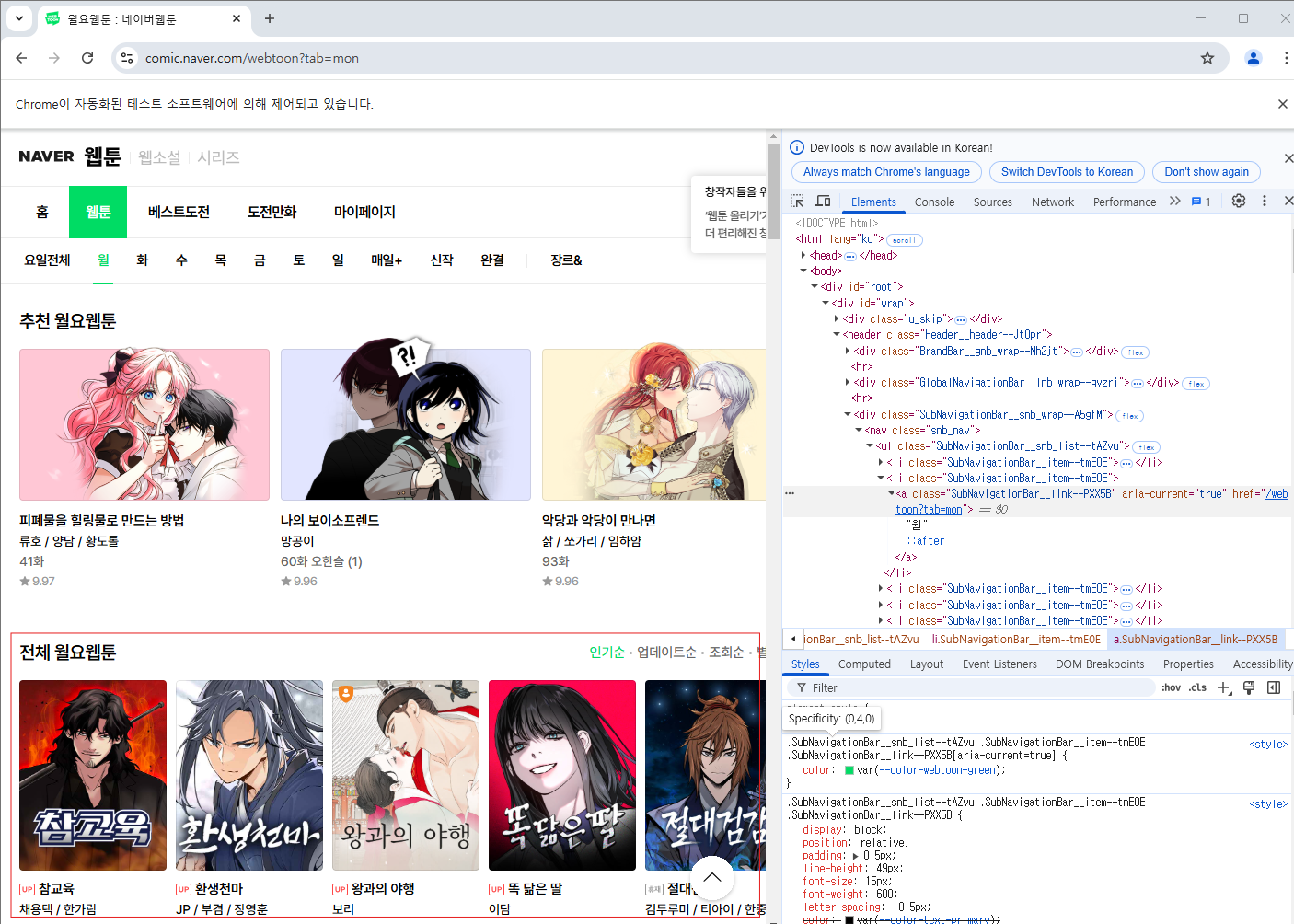
3. 데이터 크롤링하기
1) ContentList__content_list--q5KXY 클래스를 가져 온 후, 그 안에 있는 item 클래스들을 가져온다!
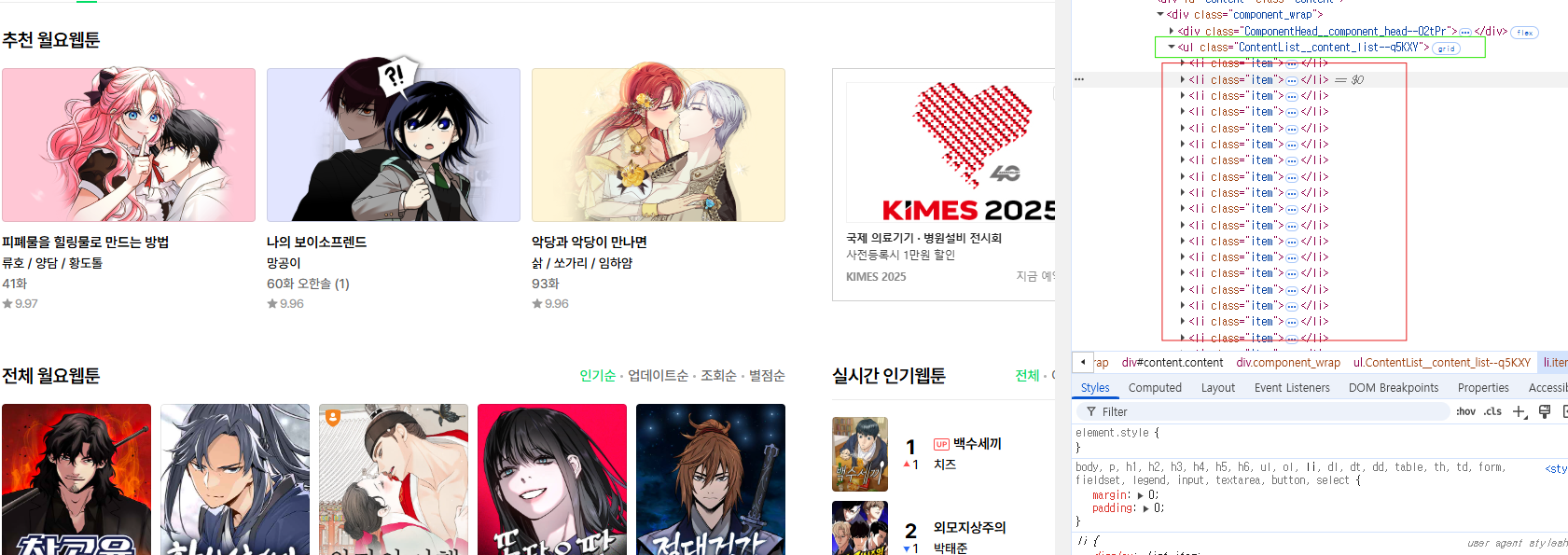
content_list  = browser.find_element(By.CLASS_NAME,'ContentList__content_list--q5KXY')
content_list
items = content_list.find_elements(By.CLASS_NAME,'item')
print(items)
2) item 클래스 안에 있는 요소들을 딕셔너리에 넣어준다!
- 연재 여부, 제목, 작가, 평점
data_list =[]

# 연재여부, 제목, 작가, 평점
for i in items:
    status = i.find_element(By.CLASS_NAME,'blind').text
    title = i.find_element(By.CLASS_NAME,'ContentTitle__title--e3qXt').text
    author = i.find_element(By.CLASS_NAME,'ContentAuthor__author--CTAAP').text
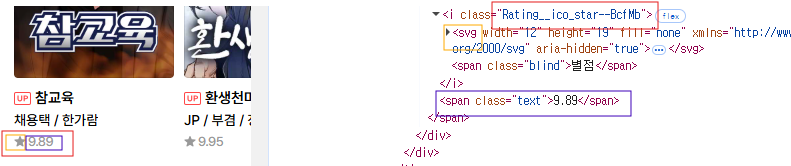
    rating = i.find_element(By.CLASS_NAME,'Rating__star_area--dFzsb').text.split('\n')[1]

    data_list.append({
            "연재여부": status,
            "제목": title,
            "작가": author,
            "평점": rating
        })


print(data_list)
🤔 rating에 split( )을 해준 이유는?그냥 출력하게 되면 별점/n9.89 이렇게 출력되기 때문에 split을 통해 '\n'을 기준으로 나눠주고 해당 값을 가져온다!
3. DataFrame으로 확인하기
import pandas as pd

df = pd.DataFrame(data_list)
df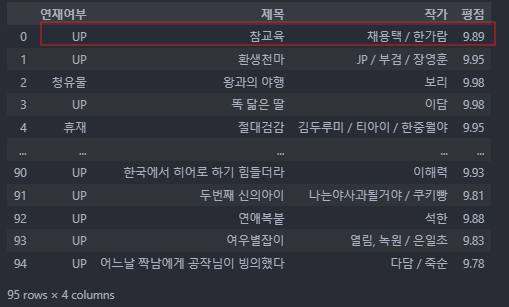
데이터가 제대로 수집된 것을 볼 수 있다 !!!!!
4. csv파일로 저장하기
df.to_csv('naver_webtoon_mon.csv', encoding='utf-8-sig')
한글 안깨지게 하기 위해 encoding='utf-8-sig' 코드를 반드시 추가하자!
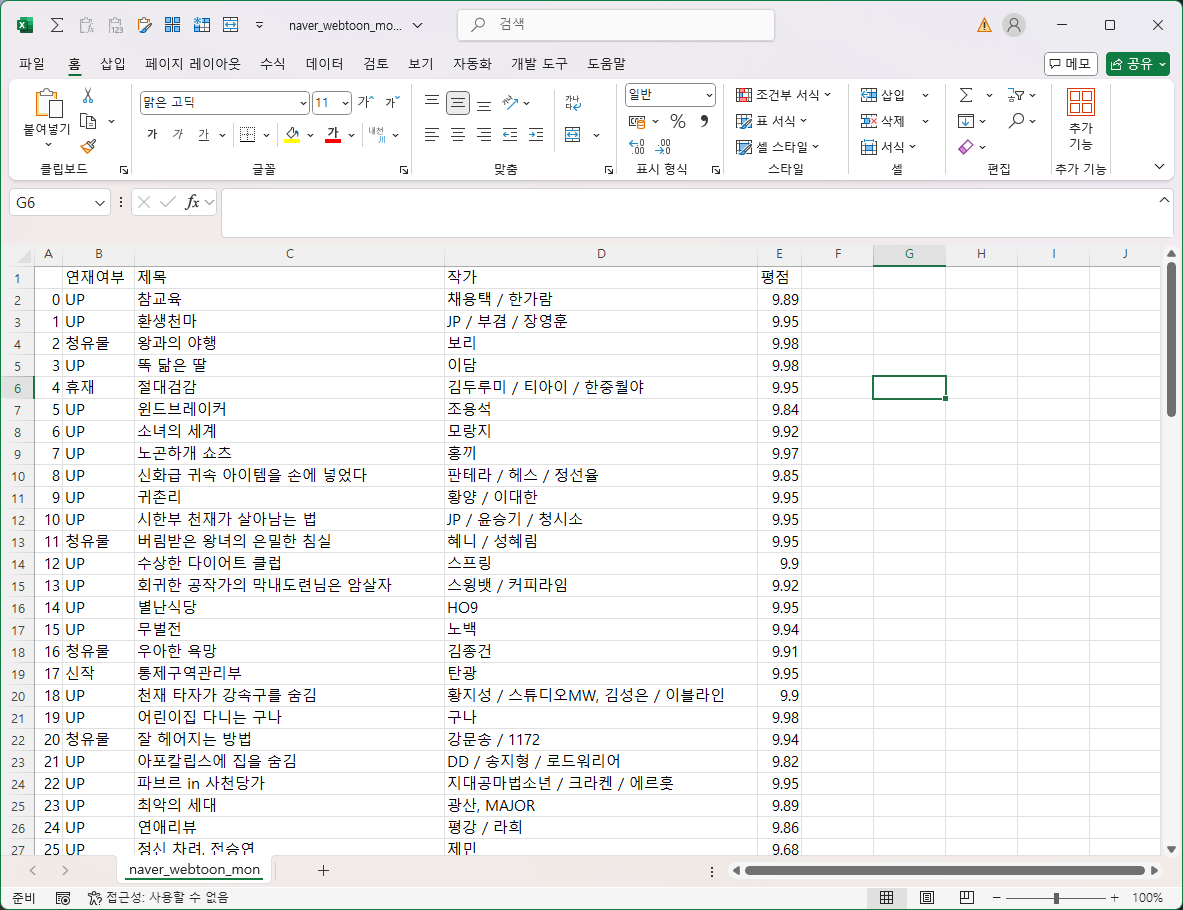
제대로 저장된 것을 확인할 수 있다 !!! 👊
'✍ Study > 데이터 분석' 카테고리의 다른 글
| 파이썬 데이터 분석 - 사용자 행동 로그 데이터_퍼널 분석 (0) | 2025.03.21 |
|---|---|
| 크롤링(Crawling) 환경 만들기 (0) | 2025.03.17 |
| 파이썬 데이터 분석 - 서울시 롯데리아와 맥도날드 지점 분석하기 (0) | 2023.04.13 |
| 파이썬 데이터 분석 - matplotlib 사용해서 '산점도' 그리기 (0) | 2023.04.04 |
| 파이썬 데이터 분석 - melt( )함수 데이터 재구조화 (0) | 2023.03.31 |
'✍ Study/데이터 분석' Related Articles
more


